Tuesday, 1 June 2021
Yarn and Nodemon Error in VsCode or PowerShell
Thursday, 21 January 2021
Saturday, 9 January 2021
Wednesday, 4 November 2020
JavaFX on jdk 11 or Later. Use this JDK !!!
If you are confused how to do setup of JavaFX on JDK 11 or later.
Now there is no confusion. I am sharing this JDK.
In this, there is built-in available JavaFX so there is no need to setup environment separately for JavaFX. Just like JDK 8 you to install and setup environment, no need separate installation of JavaFX.
Below are the links to download !!!!
NOTE: Please open these links in a private window.
1. Zulu JDK for Windows
https://drive.google.com/file/d/1-3EL8BeLlt2vUIU559owDizSkD7SAKe3/view?usp=sharing
2. Zulu JDK for Linux
https://drive.google.com/file/d/1MyH7raiygCrsU_SwOJyyIPgjgZuMfSrN/view?usp=sharing
Thursday, 29 October 2020
How to Resolve MySQL not working in Xamp
1. Close Your Xamp.
2. Go to C.. xamp .. mysql ..
3. copy all the data of the backup folder
4. paste into data folder.
5. then start your xamp .
Thursday, 30 July 2020
Thursday, 9 July 2020
MySQL Workbench Cannot Connect to Database Server (Solved)
![]() |
| Add caption |
ALTER USER 'username'@'ip_address' IDENTIFIED WITH mysql_native_password BY 'password';
ALTER USER 'root'@'localhost' IDENTIFIED WITH mysql_native_password BY 'root';
Sunday, 5 July 2020
Usb Bootable for windows - Linux
First Install Power ISO from
https://haseebabbasi00.blogspot.com/2018/08/power-iso-7-by-haseeb-abbasi-5-mb.html
link given below
Step1: Create Bootable USB Drive
Start PowerISO (v6.5 or newer version, download here).
Insert the USB drive you intend to boot from.
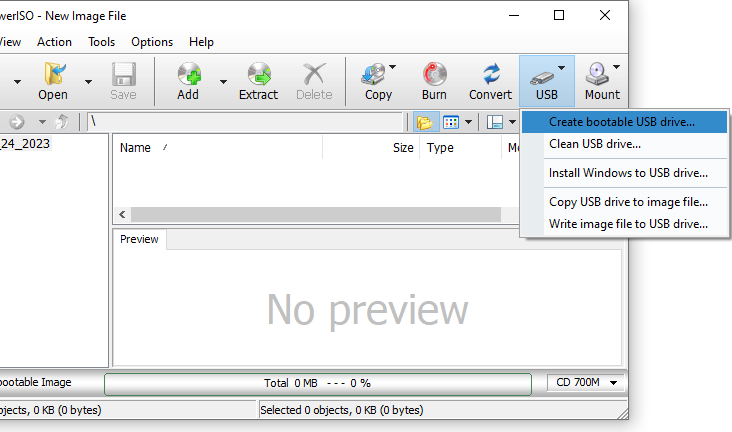
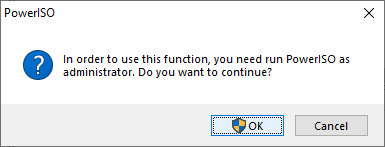
Choose the menu "Tools > Create Bootable USB Drive". The "Create Bootable USB Drive" dialog will popup. If you are using Windows Vista or above operating system, you need confirm the UAC dialog to continue.


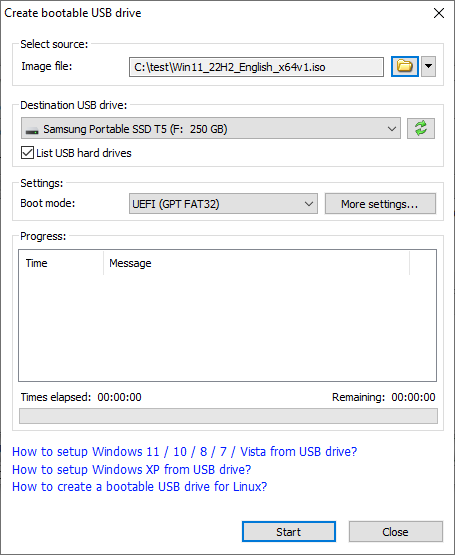
In "Create Bootable USB Drive" dialog, click "..." button to open the iso file of Windows operating system.
Select the correct USB drive from the "Destination USB Drive" list if multiple USB drives are connected to the computer.
Choose the proper writing method. "USB-HDD" is recommended.
Click "Start" button to start creating bootable USB drive.

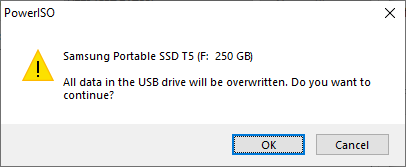
PowerISO will alert you that all data on USB drive will be destroyed. Click "OK" to continue.

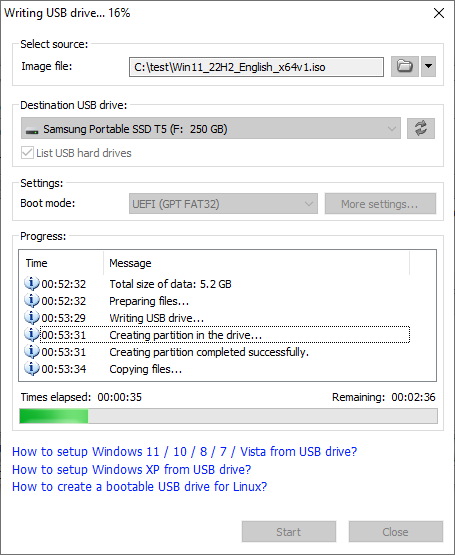
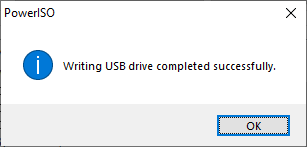
The program will start writing USB drive, and showing the progress information. You should get the message "Writing USB drive completed successfully." after the operation completes.

If no errors occurred in the above process, you should now be all set to setup Windows from USB drive!
Thursday, 2 July 2020
Monday, 18 May 2020
Thursday, 14 May 2020
Microsoft Launcher.apk - 26 MB
Thursday, 30 April 2020
PHP MySQL Novice to Ninja, 5th Edition
PHP MySQL Novice to Ninja, 5th Edition The Easy Way to Build Your Own Database Driven Website by Kevin Yank (z-lib.org) (1).pdf - 18 MB
Sunday, 19 April 2020
How to remove MySql on Linux
1.
sudo apt-get remove --purge mysql-server mysql-client mysql-common -y
2.
sudo apt-get autoremove -y
3.
sudo apt-get autoclean
Now remove all directories of mysql
1.
rm -rf /etc/mysql
2.
sudo find / -iname 'mysql*' -exec rm -rf {} \;
Now you have successfully removed the MySql from linux
If you again want to install then type theses commands
sudo apt install mysql-server
Follow Haseebabbasi00.blogspot.com
Sunday, 1 March 2020
Wifi drivers for windows 8.1 for dell
1.extract zip file.
2. Go to device manager and select Network adapter
3.go for manually drivers and select the path where you have extracted zip file
4.wait for a minute then drivers will be updated.
Wireless_18.11.0_De164.zip - 26 MB
Emulator 8086
These are the Details for registration
emu8086 registration key:
User: ic0n0statse
Key: CSEJHFVZ3FRTQZXJKASA
Download from link below
Emulator.zip - 3 MB
Monday, 6 January 2020
xampp 64 bit haseebabbasi00- 147 MB
xampp-windows-x64-7.4.1-0-VC15-installer.exe - 147 MB